
很多时候有些程序或脚本需要添加开机自启,最简单有效的方法就是使用rc.local文件来实现,不过由于系统版本更替从Debian 9/Ubuntu 17往后rc.local这个文件就没有了。不过我们可以手动添加它。
添加rc-local.service
以下为一整条命令,一起复制运行
cat > /etc本文来自:1024s.cn /systemd/system/rc-local.service <<Powered by 0x3E5 ;EOF
[Unit]
Description=/etc/rc.local
1024s.cn ConditionPathExists=/etc/rc.local
[Service]
Type=forking
ExecStart=/etc/rc.local start
TimeoutSec=0
StandardOutput=tty
Remai本文来自:1024s.cn nAfterExit=yes
SysVStartPriority=99
[Install]
WantedBy=multi-user.target
EOF
新建rc-local文件
以下为一整条命令,一起复制运行
cat > /etc/rc.local <<EOF
#!/bin/sh -e
#
# rc.Powered by 0x3E5 local
#
# This script is executed at the end of each multiuser runleve本文来自:1024s.cn l.
# Make sure that the script will "exit 0" on success or any other
# value on error.
Powered by 0x3E5 #
# In order to enable or disable this script just change the execution
# bits.
#
# By default this script does nothing.
exit 0
EOF
###添加权限并设置开机自启
chmod x /etc/rc.local
systemctl start rc-local.service
systemctl enable rc-local.service
通过以下命令检查状态:
systemctl status rc-local.service
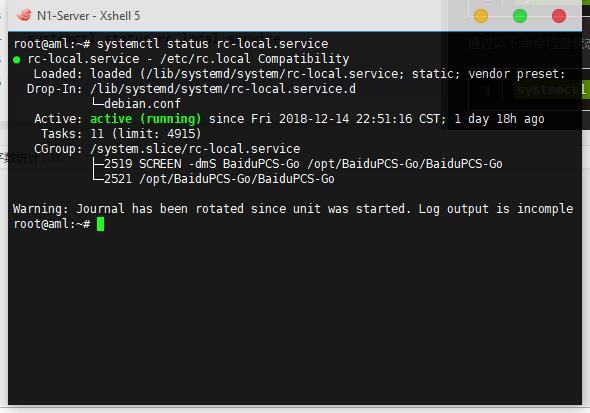
返回Active:act
加入开机自动执行命令
只需/etc/rc.local文件里,添加需要开机自动执行的命令就可以了。
注意:一定要添加在exit 0的前面!!!